Talent Grove

Every candidate you've met, ready when a role opens.

One searchable pool of résumés, organised by department and sub-department. See who fits your open roles every day, and stay in touch with people worth a message.

Included in Individual and Team, within your résumé storage.

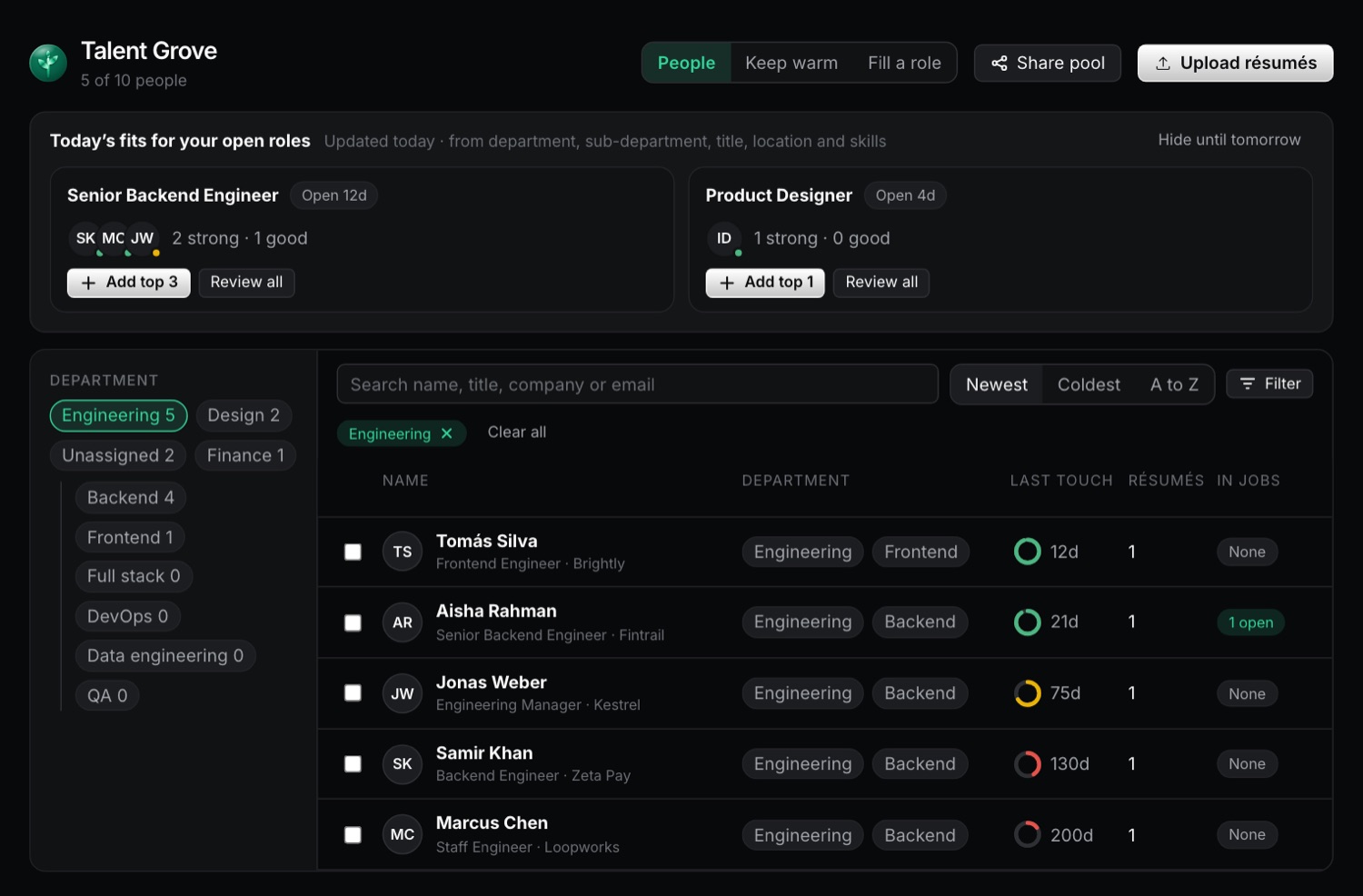
Talent Grove showing Today's fits for each open role above a searchable table of candidates by department and sub-department, with Filter and Share pool buttons.

How it works

  1. 1 · Upload

    Drop in résumés

    PDF, Word, text, RTF or ODT, up to 10 at a time. Résumés from your ATS and public applications join the pool too.

  2. 2 · Organise

    Department and sub-department

    Search, sort and choose a department to see its sub-departments. The Filter menu finds people not contacted for 30, 90 or 180 days, or not in any job.

  3. 3 · Match

    Fill a role

    Rank people for an open role, turn criteria on or off, mark someone not a fit, and add your best matches.

  4. 4 · Stay in touch

    Keep warm

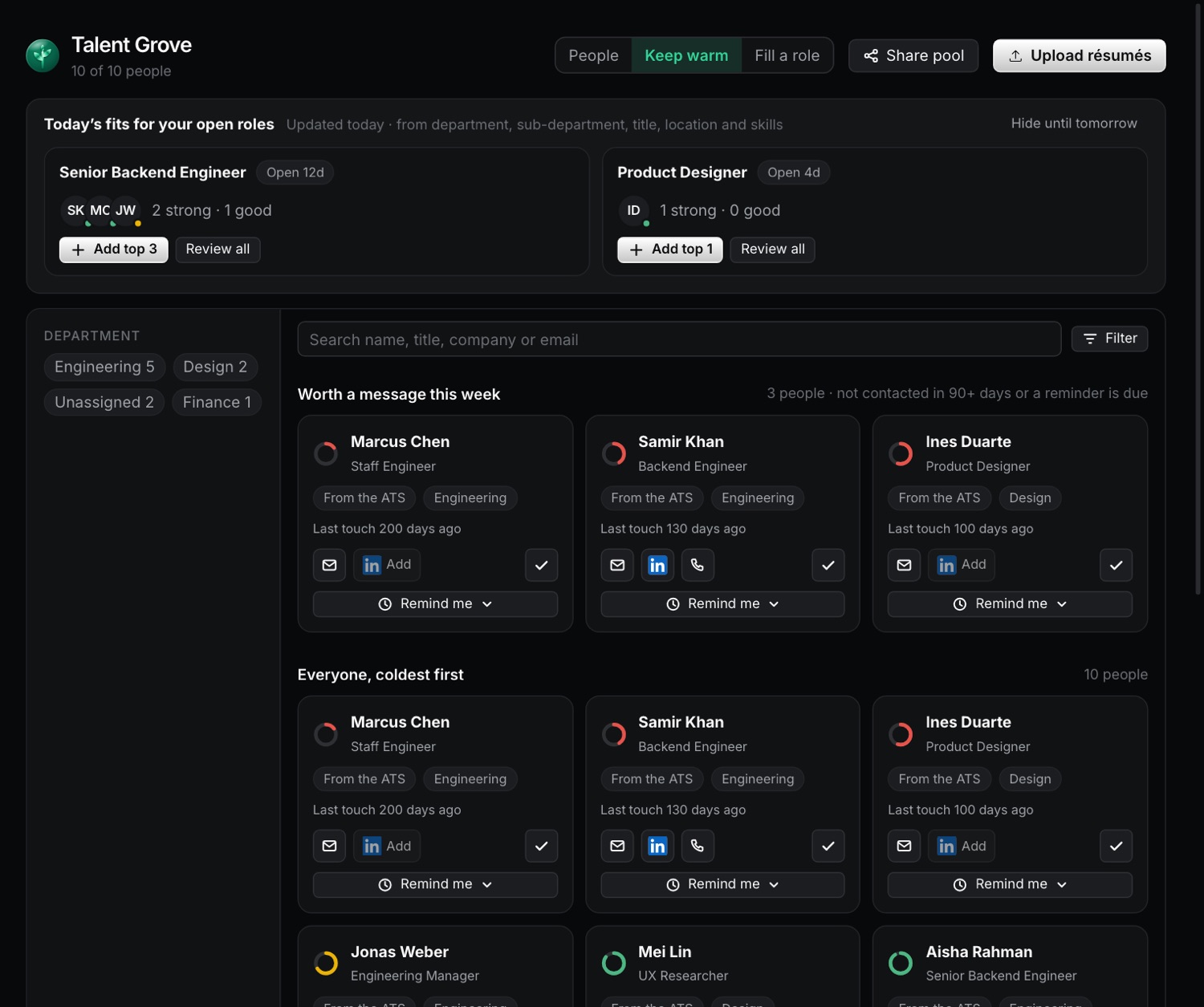
    Log a touch with Email, LinkedIn or Call. Set a reminder for a week, a month or three months.

Keep warm lists who is worth a message this week, with Email, LinkedIn and Call buttons and a reminder on each person.
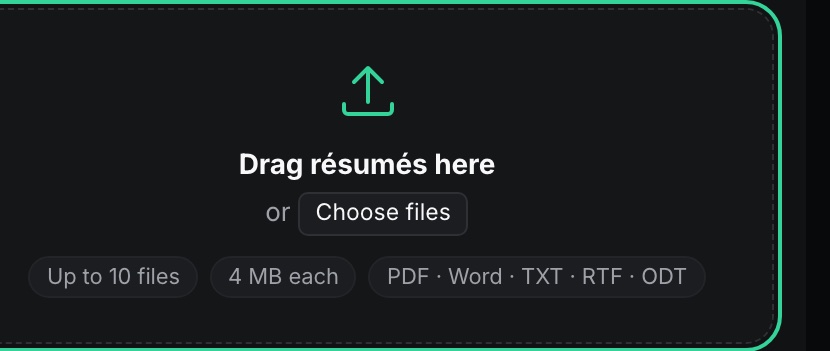
The upload tray: drag résumés here, up to 10 files, 4 MB each, in PDF, Word, text, RTF or ODT.

Files are checked, then saved one by one. A file that fails shows its own reason and the rest still upload.

Private by default

  • People see the profiles their access covers. A Reviewer sees only the profiles tied to their jobs and the résumés they upload.
  • Sharing the pool with other workspaces in your account is off until you turn it on, and turning it off removes the shared access.
  • Delete a candidate everywhere when you need to.

Straight about the matching

  • Fit is rule-based and no AI is used. The same data always gives the same result.
  • It compares department, sub-department, title, location and skills read from the résumé.
  • Scanned or protected files may need their details typed in by hand.

Questions about Talent Grove

Is Talent Grove included in my plan?

Yes, in both Individual and Team, within your résumé storage allowance.

Does Talent Grove use AI to match people to roles?

No. Matching is rule-based. AI Screening is a separate Team feature that uses your own provider key.

Who can see the candidates in the pool?

Each person sees only what their access allows, and nothing is shared across workspaces unless you turn sharing on.

Can I share the pool across workspaces?

Yes, on a Team plan with additional workspaces, from the main workspace.

Start your pool with the résumés you already have.